Ask what a rental tool’s AI does, and the answer is messaging, almost every time. Over 60% of short-term rental operators now use AI, and guest communication is where it lands first (Hostaway’s 2026 Short-Term Rental Report); when we compared the main vacation rental AI tools, nearly every AI feature turned out to be a reply feature. Yet AI for short term rental management has at least five more jobs today, and most of them touch data no inbox ever sees.
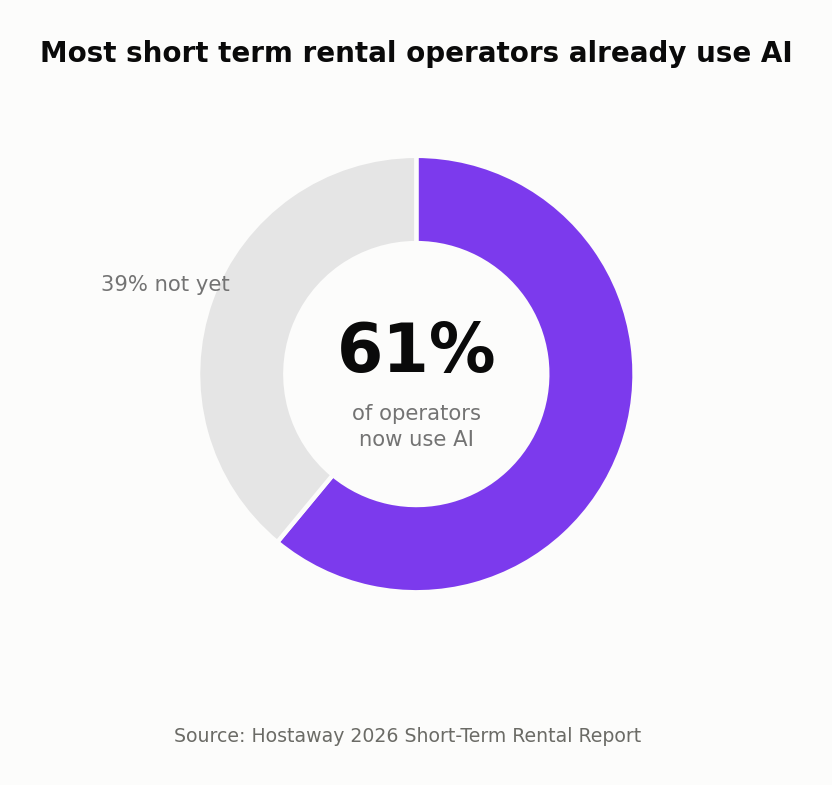
Source: Hostaway 2026 Short-Term Rental Report.
The scorecard, rewritten
Last time we compared what each tool’s AI can see. The follow-up question is what it actually runs. One note for fairness: PMSs do ship rule-based automation modules for cleaning or statements; this table tracks what their AI covers, per public documentation.
| Capability |  |
Bestie AI |  |
 |
Standalone AIs HostBuddy, Guest Guru and similar |
 |
|---|---|---|---|---|---|---|
| AI guest replies | ✅ | ✅ | ✅ | ✅ | ✅ | ✅ with human approval |
| Risk triage on inbound messages | ❌ | ❌ | ❌ | ❌ | ❌ | ✅ refunds and complaints surface first |
| Maintenance and stale-task watch | ❌ | ❌ | ❌ | ❌ | ❌ | ✅ urgent auto-assigned; scans flag stalls |
| Review watch | ❌ | ❌ | ❌ | ❌ | ❌ | ✅ sub-5 stars surfaced daily |
| Ops actions, approve-gated | ❌ | ❌ | ❌ | ❌ | ❌ | ✅ AI proposes, you approve, it executes |
❌ means the capability is not described in that tool’s public documentation as of July 2026 (AI layer, not the whole product); ⚠️ would mean it varies.
Five jobs beyond the inbox
1. Cleaner reminders that send themselves
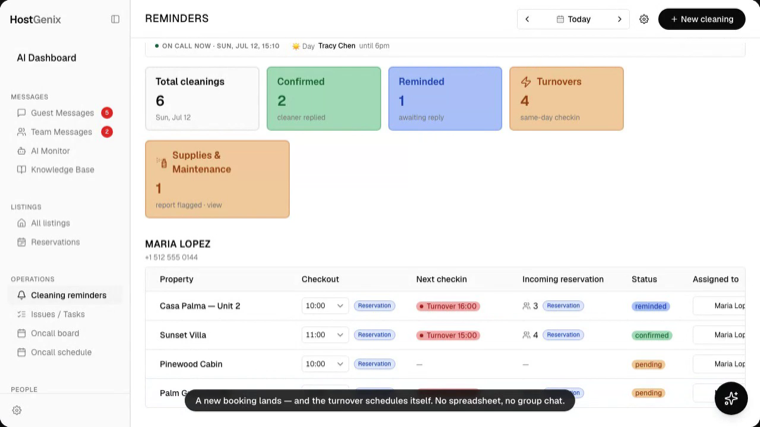
Every synced booking becomes a cleaning task, deduped and turnover-flagged, and reminders go out the evening before and the morning of, on WhatsApp, in each cleaner’s own timezone. Nobody texts the team at 10pm. The wider cleaning story is in our cleaning management guide.
2. Maintenance that gets watched
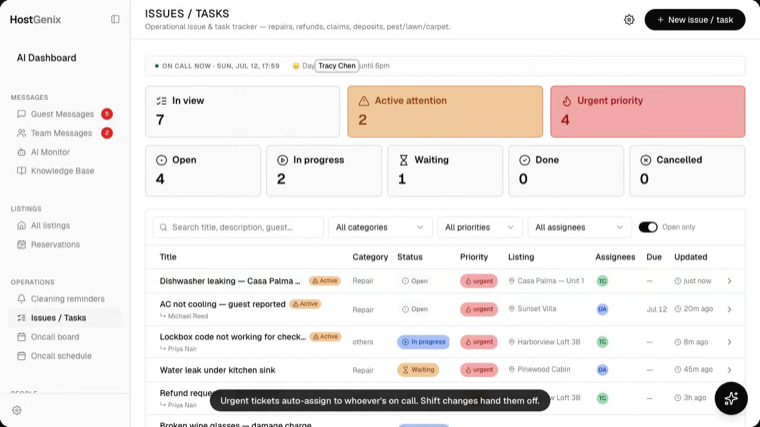
Urgent issues auto-assign to whoever is on call, and the agent’s proactive scans flag tasks that stall, then propose the fix as an action you approve. Nothing waits for someone to remember it.
3. Reviews on watch
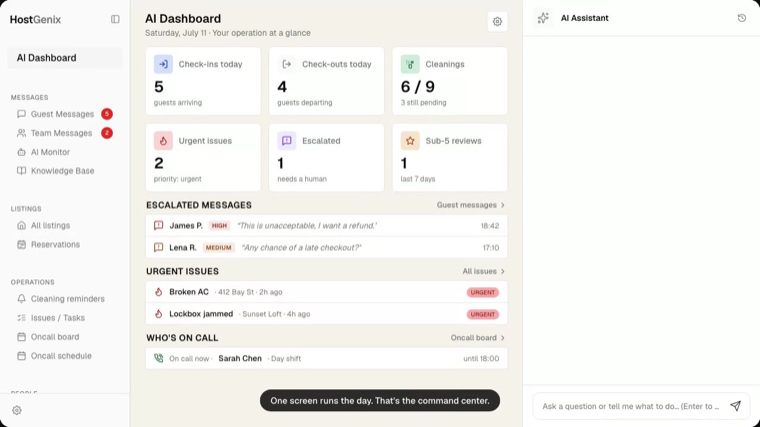
Sub-5-star reviews from the last 7 days sit on the dashboard every morning, and “Any reviews below 5 stars this week?” is one of the assistant’s built-in prompts. A bad review triggers a task, not a surprise at month end.
4. Owner statements without the spreadsheet night
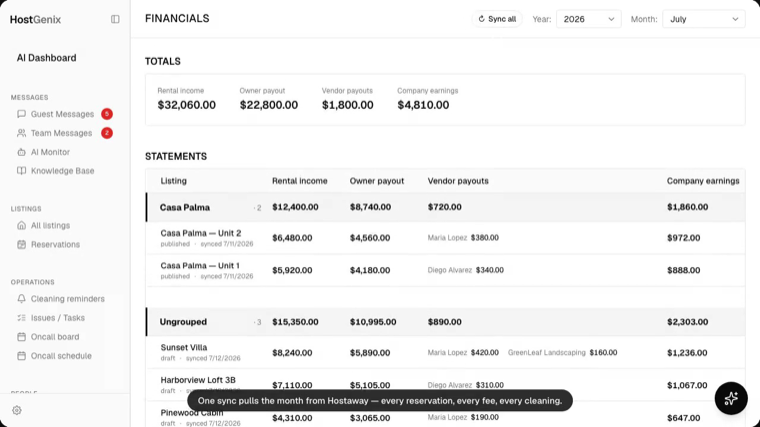
One Sync pulls the month’s income per property, the split formulas are built in, publishing freezes the snapshot, and the PDF goes to the owner. Month end drops from an evening per owner to minutes.
5. Message triage before you read
Every inbound guest message is risk-assessed on arrival, rules first, then an LLM pass for intent. Refund demands and complaints surface at the top of an escalated queue while routine questions wait their turn.
AI for short term rental management: start where the data is
This is how to use AI for vacation rental management in practice: give it the operation, not just the inbox. Auto cleaning scheduling alone is worth roughly 45 to 55 hours a month (estimate, ~50-listing basis), and every job above runs on data your reply tool never sees.
Fifteen minutes to connect your listings, and the AI starts on all five.
FAQ
Is AI vacation rental automation just guest messaging?
In most tools, effectively yes: the AI layer covers replies, per their own documentation. The other jobs, triage, maintenance watch, review watch and ops actions, need an AI wired into your operational data.
How do I start using AI for vacation rental management beyond replies?
Start where your time goes: connect cleaning and maintenance first, since scheduling and reminders are worth dozens of hours a month, then turn on triage and review watch, which run without setup.
What should the AI never do on its own?
Anything outbound or expensive. In HostGenix every AI-proposed action waits for your one-click approval, and guest-facing drafts wait for Send, Edit or Reject.