Airbnb automated messages are really three different things, and most guides only cover the first. In Hostaway’s 2026 report, 60% of operators named guest communication the place AI makes the biggest difference, yet the standard advice stops at scheduled templates. Here is the full ladder, from timers to replies that genuinely answer.
| Level | What it does | What it cannot do |
|---|---|---|
| Scheduled messages | Sends your template at a set moment | Answer a question it was not written for |
| Rule-based replies | Matches keywords to canned answers | Handle wording it has never seen |
| Knowledge-based replies | Answers real questions from your facts, and sends when it knows | Send anything it cannot ground, by design |
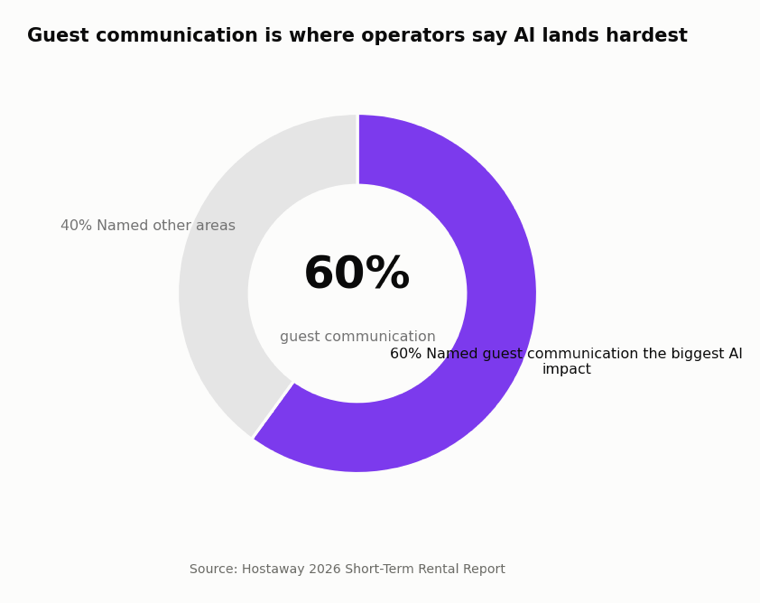
Source: Hostaway, 2026 Short-Term Rental Report.
What you can automate natively on Airbnb
Airbnb’s own scheduled quick replies are the first level, and they are worth setting up. Quick replies are manual by default, but you can schedule them around specific events such as a new reservation, a check-in reminder, or a checkout reminder.
Placeholders fill in the details for you: the guest’s name, check-in date and time, house rules, address, wifi network and password, and the confirmation code. One catch from the official docs: for last-minute bookings and short stays, some messages are skipped by default unless you switch on the override.
That covers everything you can predict. It covers nothing the guest actually asks.
Airbnb automated messages examples that pull their weight
Five airbnb scheduled messages and replies worth having, as a starting set of airbnb automated messages templates:
- Booking confirmation, sent minutes after reserving: thanks, dates, and what happens next.
- Check-in instructions, sent the day before arrival: access, parking, and wifi in one message.
- Mid-stay check-in, sent the morning after night one: one sentence inviting problems to surface early.
- Checkout reminder, sent the evening before departure: time, two or three simple steps, no essay.
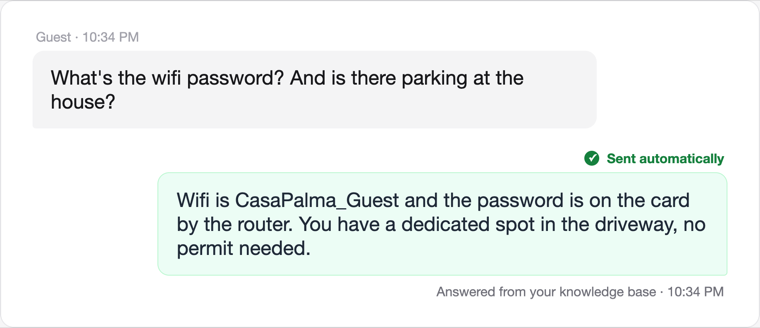
- The unscripted one: a guest asks about parking at 10pm, and an airbnb auto reply answers from your knowledge base because the fact is in there.
The first four are timers. The fifth is the level the native tools do not reach.
When automatic replies are safe to send themselves
The honest rule for airbnb automatic replies is a split, not a switch.
If the knowledge base knows, it sends
Questions your knowledge base or house manual already answers, like wifi, parking, or checkout time, get answered and sent automatically. The reply is grounded in your facts, so there is nothing for a person to second-guess.
If it does not know, it drafts
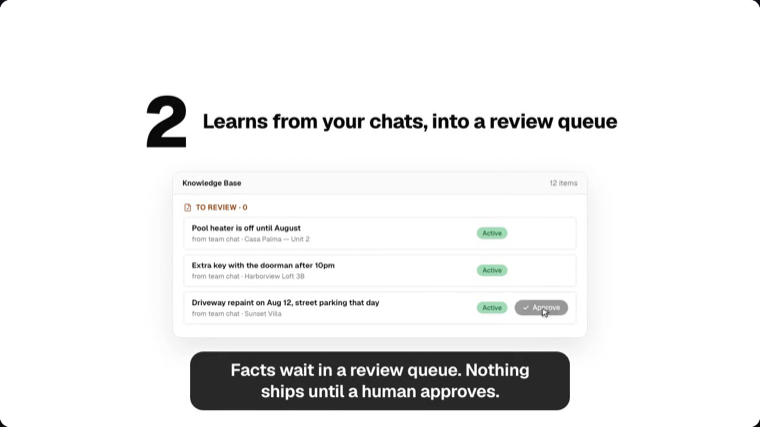
Anything the knowledge base cannot ground becomes an unsent draft waiting in your inbox. You edit or send, and whether AI replies hold up comes down to exactly this discipline. Every first reply inside the window also protects your response rate.
If it reads like a problem, a person goes first
Messages that pattern-match to safety or repair issues get flagged urgent and routed to a human before anything else happens. How to automate airbnb responses safely is mostly about deciding what never gets automated.
43%
of operators save 2 or more hours a week with AI, double last year
Source: Hostaway 2026
FAQ
Can I set up automated messages on Airbnb?
Yes. Airbnb’s native scheduled quick replies send templates around events like booking, check-in, and checkout, with placeholders for details such as wifi and door codes. Answering unscripted questions automatically requires a knowledge-based layer on top.
Do guests know the messages are automated?
Scheduled templates usually read as templates, and guests accept them for logistics. A knowledge-based reply reads like you, because it is built from your own answers and house facts.
What should never be automated?
Anything involving money, safety, or a complaint. Those messages should reach a person first, with AI doing the drafting rather than the sending.